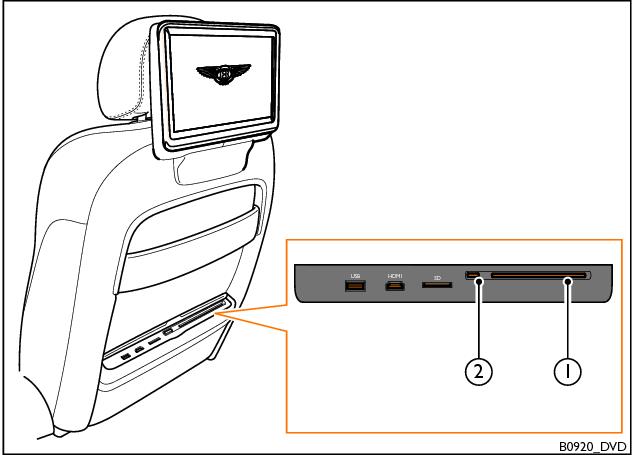
CDs and DVDs
To insert a disc into the RSE system, proceed as follows:
1. Hold the disc vertically, with the printed side facing towards the front of the car.
2. Insert the disc into the disc slot (1) on the desired seatback until it is drawn in automatically. Do not push any further.
To remove a disc from the RSE system, proceed as follows:
1. Press the eject button (2) on the desired seatback to move the disc into the eject position. The disc will now be partially ejected.
2. Once the disc is in the eject position, remove it from the disc slot. If the disc is not removed after approximately ten seconds, the disc will be drawn back in and the process will need to be repeated.
- Related Topics