Adjusting the volume
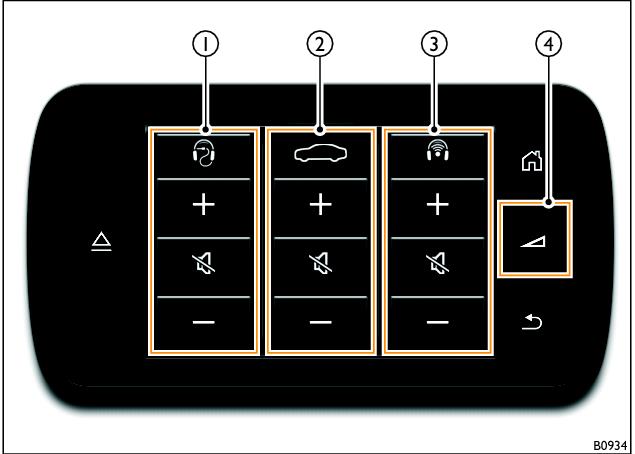
Volume controls
1 Left-hand RSE volume controls
2 Infotainment system volume controls
3 Right-hand RSE volume controls
4 Volume control button
Pressing the volume control button (4) opens the volume control pop-up window.
It is possible to control the volume settings for the Infotainment system or any wired or wireless headphones that may be connected to the RSE system. Press the

or

function buttons for the desired device to increase or decrease the volume of the desired output.
Press the

function button to mute the desired output.
If wired and wireless headphones are connected to the same side of the RSE system, it is possible to toggle between adjustment for each pair of headphones by pressing the

or

function button at the top of the pop-up window.

Note
The volume control pop-up window will close after approximately 5 seconds of inactivity.
- Related Topics