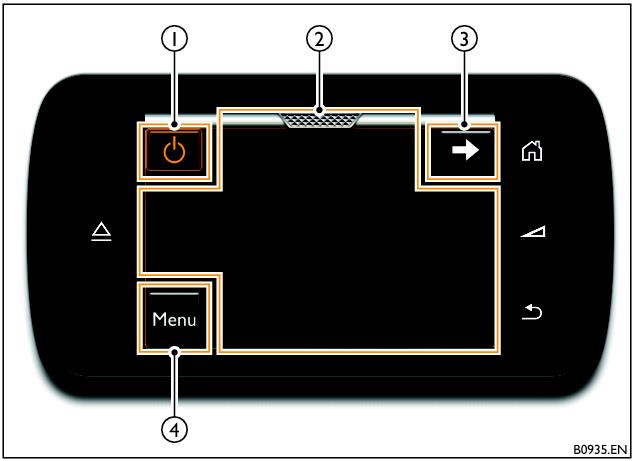
Touch screen remote (TSR)
When controlling the RSE system, the TSR works like a track pad, where the movement of a finger on the central area of the TSR touch screen is used to highlight an option on the display screen. The highlighted option can then be selected by tapping the screen.
It is possible to scroll through lists by ‘swiping’ a finger on the touch screen in the direction desired. To quickly scroll through a list, hold a finger on the edge of the touch screen at the end of the swipe gesture. The scrolling action will stop when the end of the list is reached or when the finger is removed from the screen.
For general information on using the TSR, refer to the ‘Touch screen remote’ heading in the Infotainment chapter of the Owner’s Handbook.
TSR in gesture mode (left-hand RSE system selected)
2 Touch screen
- Related Topics