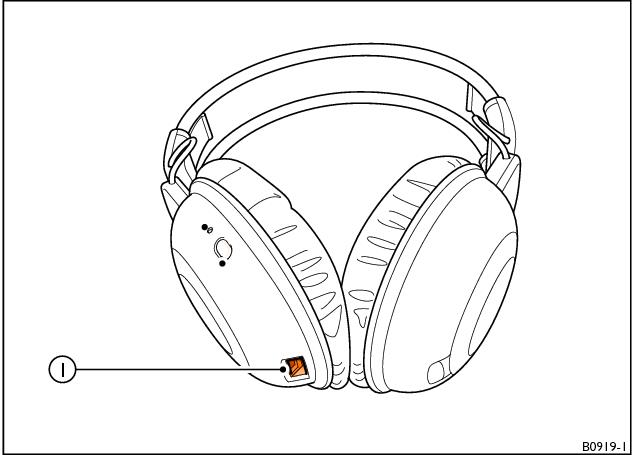
Charging wireless headphones
1 Charging cable connection
When the status display on the wireless headphones repeatedly flashes twice, followed by a longer pause, the batteries require charging.
To charge the wireless headphones, proceed as follows:
1. Plug the charging cable into the connection on the bottom of the left headphone (1).
2. Connect the charging cable to a USB connector on either of the Media loaders.
► 
Note
The wireless headphones will only be charged when the ignition and RSE system are switched on.

WARNING!
• Take special care when charging the headphones as they could become hot.
• Batteries must only be replaced with rechargeable NiMH 1.2V 900mAh AAA batteries.
• There is a risk of explosion if a battery is replaced with an incorrect type.
• Batteries contain toxic substances, such as sulphuric acid or lead, which are forbidden from being disposed of with domestic waste. If disposed of incorrectly, these substances can contaminate the ground, subsoil and water. The consumption of contaminated water can lead to serious illness. Legislation requires that specific procedures are used for the disposal of used batteries, and for this reason, it is recommended that car batteries are replaced and disposed of by an authorised Bentley dealer.
- Related Topics