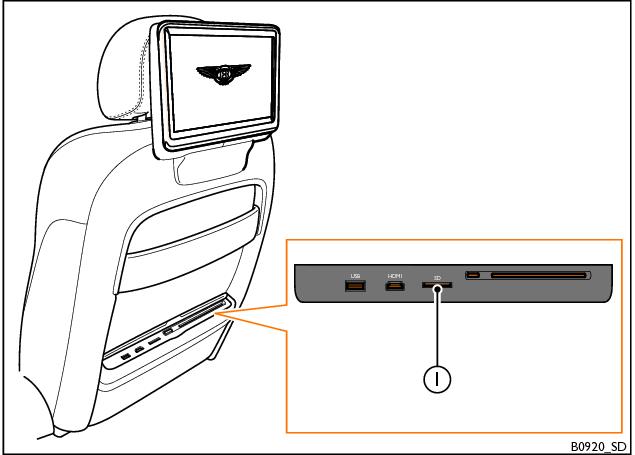
SD cards
To insert an SD memory card into the RSE system, proceed as follows:
1. Hold the memory card with the cut-off corner facing downwards and to the left-hand side.
2. Insert the memory card into the memory card slot (1) on the desired seatback, until the card clicks into place.
To remove a memory card from the RSE system, proceed as follows:
1. Press the inserted memory card. The memory card will spring back and will now be partially ejected.
2. Remove the memory card from the memory card slot.
If the inserted memory card cannot be read by the RSE system, the SD card function button will remain disabled and the function cannot be selected.
- Related Topics